

Understanding Binary Numbers and Their Uses
🔢 Explore how numbers work in binary code! Learn binary basics, decimal conversions, key operations, and why binary matters in today’s tech world. 💻
Edited By
Oliver Bennett
Binary calculators operate using the binary number system, which employs only two digits: 0 and 1. Unlike the decimal system most people use daily, binary arithmetic is fundamental to computing devices because digital circuits naturally represent two states—on and off. For traders, investors, students, analysts, and brokers, understanding binary calculators offers insight into how data processing and automation work at the machine level.
The functionality of a binary calculator is primarily based on logic gates and binary arithmetic algorithms. It performs basic operations such as addition, subtraction, multiplication, and division, but only using binary inputs. For example, adding binary 101 (which is five in decimal) and 011 (three in decimal) results in 1000 (eight in decimal). This process is essential for processors that manage complex calculations behind trading algorithms or market analytics software.
Binary calculators differ from decimal calculators mainly in their number representation and processing method. While decimal calculators handle digits 0 to 9 directly, binary calculators work on the machine language level. This means they can operate faster in some cases, especially where digital logic is involved, but they require conversion mechanisms when interacting with human-friendly decimal numbers.
Applications of binary calculators go beyond computing theory. In financial markets, algorithmic trading systems use binary computations for decision-making, risk assessment, and pattern recognition. Similarly, analysts often rely on financial modelling software that internally uses binary mathematics for predictions and simulations. Education-wise, students studying computer science or engineering benefit from binary calculator tools to understand digital electronics and programming better.
Understanding binary calculation mechanisms helps professionals appreciate the underlying technology driving digital finance and analytics.
To use a binary calculator effectively:
Convert decimal numbers to binary as input.
Perform desired arithmetic operations in binary.
Translate results back into decimal for interpretation.
In practical terms, various online tools and software integrate binary calculator functions, making it easier to switch between systems without manual conversions. Grasping how these devices function thus streamlines workflow and sharpens analytical skills in domains reliant on swift and accurate computations.
Understanding the basics of the binary number system is essential to grasp how binary calculators function and why they play a key role in modern computing. The binary system simplifies complex calculations by using only two symbols, 0 and 1, which align perfectly with digital circuitry. This simplicity enables efficient processing of data, storage, and communication in electronic devices.
A bit, short for binary digit, is the smallest unit of information in the binary system. It represents a single 0 or 1. Bytes, on the other hand, consist of 8 bits grouped together. In practical terms, a single byte can encode up to 256 different values (2^8), from 0 to 255. This makes bytes the building blocks of data storage and transmission in computers, mobile phones, and other digital devices.
For example, when you save a photo on your smartphone, it’s actually stored in bytes. The binary codes within these bytes enable the device to retrieve and display the image correctly. Understanding bits and bytes is fundamental for traders and analysts working with digital data, as it directly impacts how information is processed and analysed.
The base-2 number system assigns place values differently than the decimal system. Instead of powers of 10, each position represents a power of 2. Starting from the right, the first place has a value of 2^0 (which is 1), then 2^1 (2), 2^2 (4), and so on. For instance, the binary number 1011 translates to (1×8) + (0×4) + (1×2) + (1×1) = 11 in decimal.
This place value system allows binary calculators to represent and calculate numbers using just 0s and 1s but still convey large values. It serves as the backbone for all digital data processing, including financial software that traders and investors may use for risk analysis or algorithmic trading.
The decimal system uses base 10, relying on ten digits from 0 to 9, which reflects our everyday counting method. Binary, however, uses base 2, which limits digits to only 0 and 1. This base difference means that binary numbers grow faster in length compared to decimal numbers for the same value.
For example, the decimal number 15 is written as 1111 in binary, requiring four digits instead of two (1 and 5). The binary base is more compatible with electronic circuits that operate on two voltage levels—in practice, 'on' and 'off'.
Converting between binary and decimal is straightforward once you understand place values. To convert binary to decimal, multiply each binary digit by its place value (power of 2) and then add the results. To convert decimal to binary, repeatedly divide the decimal number by 2 and record the remainders.
For instance, converting decimal 13 to binary: 13 ÷ 2 = 6 remainder 1, 6 ÷ 2 = 3 remainder 0, 3 ÷ 2 = 1 remainder 1, and 1 ÷ 2 = 0 remainder 1. Writing the remainders in reverse gives 1101 in binary.
Grasping this conversion is crucial for many computation tasks traders and data analysts handle, especially when working with software or hardware that accepts input in binary formats or requires binary arithmetic operations.
Mastery of binary basics not only aids in understanding how digital systems compute but also improves your ability to interpret and apply data-driven strategies in technology-dependent fields.
In summary, knowing binary digits, place values, and how they differ from decimal numbers lays the foundation for effectively using and understanding binary calculators and digital tools in a variety of professional settings.
Understanding how binary calculators work is essential for grasping their role in computing and electronics. These calculators perform arithmetic operations using the binary numbering system, which relies solely on two digits: 0 and 1. Compared to decimal calculators, which operate on base-10, binary calculators simplify tasks in digital systems where everything boils down to on/off states. This direct mapping of binary to electrical signals makes binary calculators invaluable, especially for professionals in tech-driven fields such as trading algorithm development or data analysis.
Binary addition follows rules similar to decimal addition but with fewer digits. For example, 1 + 1 in binary results in 10 (which is 2 in decimal). This carry-over system is key in building up larger sums and forms the basis for more complex calculations. Subtraction operates on the principle of borrowing; subtracting 1 from 0 involves borrowing from the higher bit just as in decimal subtraction but within the binary system’s constraints.
When it comes to multiplication and division, the processes mirror long multiplication and division in decimal but remain simpler due to the binary nature. Multiplying by 1 keeps the number the same, while multiplying by 0 results in zero, making the operation straightforward. Division involves repeated subtraction of the divisor from the dividend, so this simplicity aids in efficient calculation within electronic devices.
At the heart of binary calculators lie logic gates—basic electronic components that perform logical operations such as AND, OR, NOT, NAND, and NOR. These gates process binary inputs and output a binary result. For instance, an AND gate outputs 1 only if both inputs are 1. Such simple rules enable the calculator to perform complex operations by cascading these gates.
Implementation of these logic gates occurs in digital circuits made from transistors. These circuits translate the binary calculations into physical electrical states. In practice, this means the calculator’s hardware can quickly execute arithmetic without needing to convert numbers back to decimal during operations. This efficiency benefits traders and analysts who require fast computation for algorithms or data modelling.
Binary calculators operate at the core of every digital device, converting simple 0s and 1s into powerful calculations that drive technology, trading systems, and data analysis tools.
Understanding these foundational concepts helps demystify the working of binary calculators and illustrates why they are indispensable in various professional fields.
Comparing binary and decimal calculators highlights important differences that matter for both users and professionals. Each type handles numbers differently, affecting how input is managed and results are displayed. For traders, analysts, and students dealing with computing systems or digital electronics, knowing these differences is practical. It helps in deciding which calculator suits a particular task, ensuring accuracy and ease of use.
Decimal calculators usually have straightforward inputs with digits 0 to 9, making them intuitive for everyday use, like handling financial calculations or checking statistics. Binary calculators, however, restrict inputs to just 0s and 1s since the binary number system only has two digits. This difference means binary calculators often have specialised keyboards or software interfaces designed for quick binary entry. For instance, a student learning about digital systems might use a binary calculator app that highlights bits clearly, making mistakes less likely.
Such interface design choices impact usability greatly. For example, a decimal calculator’s layout caters to common arithmetic tasks, while a binary calculator might support switching between binary, decimal, and hexadecimal to suit different computing needs. This flexibility benefits professionals working across formats, helping them avoid manual conversions.
Results from decimal calculators are directly understandable for most users since they display numbers in a familiar form. In contrast, outputs from binary calculators require interpretation, especially for those not used to thinking in base-2. To illustrate, when a binary calculator shows "1010," a trader or analyst must know this equals the decimal number 10.
Some binary calculators provide automatic conversion features, showing results simultaneously in decimal or hexadecimal formats to bridge this gap. This can be very useful when confirming accuracy or translating results into meaningful figures, such as binary data representing stock market signals or digital communication codes.
Binary calculators are well-suited for tasks that demand working with base-2 numbers directly—common in computer programming, hardware testing, and network engineering. For instance, when testing binary protocols or debugging digital circuits, a binary calculator provides precise and quick results without needing manual conversion from decimal.
On the other hand, decimal calculators remain the go-to for everyday calculations involving money, measurements, or statistics. Traders and brokers, for example, rely on decimal calculators or standard calculation tools when handling market data or estimating profits, where base-10 reduction is necessary.
In education, binary calculators teach students how computers process numbers and logic, making them indispensable in computer science and electronics courses. These tools help learners grasp concepts like binary addition or two’s complement arithmetic practically.
In practical settings, decimal calculators serve most users’ needs outside technical fields, simplifying tasks like billing or inventory management. Yet, professionals working at the intersection of finance and IT benefit from knowing binary calculators well, especially as digital transactions and algorithmic trading grow more complex.
Understanding when to use binary versus decimal calculators ensures smoother workflow and fewer errors, especially where precision and format compatibility matter a lot.
Binary calculators play a key role beyond theoretical knowledge – they have practical applications that make complex binary arithmetic accessible and useful. Whether it’s an educational setup or professional electronics field, these tools help simplify operations that would otherwise be tedious and error-prone.
Teaching binary arithmetic: Binary calculators serve as hands-on aids in schools and colleges, helping learners grasp the foundations of binary arithmetic quickly. By inputting numbers and observing outputs, students better understand addition, subtraction, multiplication, and division in base-2, compared to relying solely on written explanations. This interactive approach makes abstract concepts more tangible.
For example, computer science students trying to comprehend two’s complement representation can use a binary calculator to convert numbers and perform arithmetic, visually confirming results step-by-step. This boosts confidence and reduces reliance on guesswork.
Programming applications: Many programming tasks, especially in embedded systems or low-level coding, require precise binary operations. Developers use binary calculators to check bit manipulations or mask values during debugging. It helps verify operations like bit shifting or logical AND/OR results quickly.
In practising with a binary calculator, programmers get immediate feedback on binary expressions they write in languages like C or Python. For instance, masking out specific bits in a 16-bit register to control hardware signals demands accuracy that a binary calculator supports effectively.
Use in circuit simulation: Binary calculators assist engineers during digital circuit design and simulation, where binary values represent signal states (0 or 1). Instead of manually calculating outputs of complex logic gate arrangements, designers can use calculators to verify inputs and expected outputs at various nodes.
This kind of simulation saves significant time in prototyping. For example, when building a combinational logic circuit for an alarm system, using a binary calculator to predict gate outputs avoids costly errors before hardware assembly.
Troubleshooting digital systems: When digital devices malfunction, engineers rely on binary calculators to decode error codes or compute expected binary signals. Troubleshooting memory chips or microcontrollers often involves understanding binary status registers and flags.
Using a binary calculator, technicians convert hexadecimal error codes to binary, interpret bit flags, and decide the next steps in repairs. This method improves diagnostic speed and accuracy, reducing downtime for critical equipment.
Binary calculators not only boost educational understanding but also provide practical support in programming and electronics, bridging theory with real-world application effectively.
Having the right tools and resources simplifies working with binary calculators, especially for students, analysts, and traders who need quick, reliable solutions for binary arithmetic. These resources help reduce errors and save time, making complex binary calculations more accessible. Let's explore what's available, from online calculators to manual techniques.
Several online platforms and mobile apps offer binary calculation features tailored for various needs. Popular websites like RapidTables and Calculator.net provide binary calculators for basic operations such as addition, subtraction, multiplication, and division. Software like Windows Calculator also supports binary mode, letting users switch easily between decimal and binary. These tools help users quickly convert numbers, perform logic operations, or debug binary data.
When choosing a digital tool, consider features like support for two’s complement notation, bitwise operations (AND, OR, XOR), and the ability to handle large binary numbers. Some calculators also offer step-by-step explanations, which are valuable for learning or verifying manual calculations. For traders or analysts dealing with large data sets, batch conversion tools that process multiple numbers at once can be quite handy.
Converting decimal numbers to binary by hand remains a foundational skill. This involves dividing the number repeatedly by 2 and noting the remainders. Practising this method deepens understanding of binary place values and helps in debugging or verifying calculator outputs, especially when using electronic tools without clear working steps.
To master binary calculations, working through sample problems is essential. Tasks involving binary addition with carryovers, subtraction using two's complement, or multiplication reinforce concepts. For example, try adding 1011 (binary for 11) and 1101 (binary for 13) manually, then check results using a calculator. Regular practice boosts confidence, making it easier to deal with real-world data processing or programming challenges.
The blend of online tools and manual exercises ensures a strong grasp of binary concepts, essential for professionals dealing with digital systems or analysis using binary data.
Overall, integrating digital and manual resources can significantly improve your efficiency and accuracy with binary calculations. This approach suits traders and analysts who often switch between quick results and deep understanding of computational processes.
🔢 Explore how numbers work in binary code! Learn binary basics, decimal conversions, key operations, and why binary matters in today’s tech world. 💻
🔢 Learn octal to binary conversion with clear steps, useful tools, and real-world applications in computing and electronics for quick, accurate results!
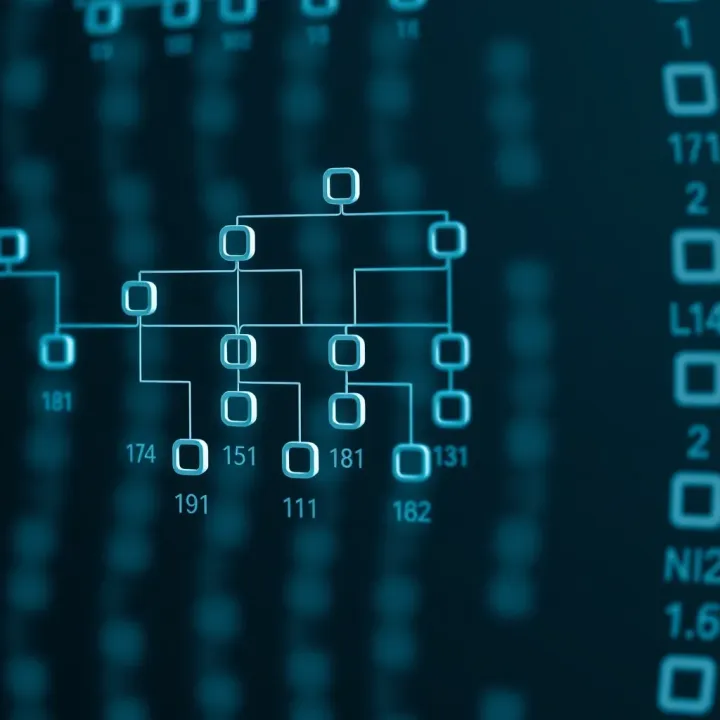
🔍 Explore how Optimal Binary Search Trees improve data retrieval by minimizing search costs. Learn about their algorithms, uses, and challenges in real-world apps.

🔢 Explore how binary numbers work and their key role in computing! Learn conversions, arithmetic, and tech uses with easy examples for all readers.
Based on 5 reviews