

How to Use a Binary Multiplication Calculator
Learn how to multiply binary numbers easily with a binary multiplication calculator 🧮. Explore methods, tips, common algorithms, and practical uses for coding and digital tasks.
Edited By
Amelia Foster
Binary numbers are the backbone of modern computing, representing data using just two digits: 0 and 1. Since our everyday decimal system uses ten digits (0 to 9), understanding binary is key when working with computer systems, programming, or electronics.
A binary representation calculator simplifies the task of converting numbers between decimal and binary formats. For traders and analysts handling algorithmic trading or data analytics, quick conversions can help decode machine-readable data or set up trading algorithms. Students and brokers dealing with coding or financial modelling will find these tools invaluable for accuracy and speed.

Typically, binary numbers express powers of two, so each bit (binary digit) stands for 2 raised to a position index. For example, the decimal number 19 converts to binary as 10011, which breaks down as 16 + 0 + 0 + 2 + 1.
"Using a binary calculator removes manual errors and saves time, especially when dealing with large numbers or repeated conversions."
Here are some reasons why binary representation matters in practical use:
Efficient data processing: Computers process binary data rapidly, making correct conversion vital for programming.
Digitally encoding information: Binary encodes everything from stock prices to secure transactions.
Understanding hardware operations: Traders working on high-frequency platforms benefit from knowing how data moves at the hardware level.
Binary calculators also help in reverse conversion—switching binary back to decimal—which is equally important when interpreting system outputs.
When choosing a binary representation calculator, consider factors like user interface clarity, support for signed numbers (important in finance), and ease of switching between units. Many online tools support additional features like hexadecimal and octal systems, which can come handy in broader technical contexts.
In the following sections, we will explore basic usage, features to look for, and examples relevant to trading and data analysis to ensure you get the most from your binary conversion needs.
Understanding the basics of binary numbers is essential before using a binary representation calculator effectively. This knowledge helps you grasp how data is stored and processed at the most fundamental level in computing and electronic devices. Traders, investors, students, analysts, and brokers alike benefit from knowing binary concepts since financial software, networking tools, and data formats often rely on these principles.
The binary number system uses only two digits, 0 and 1, unlike the decimal system that uses ten digits (0 to 9). Each binary digit, called a bit, represents an increasing power of two from right to left. This simplicity makes it ideal for digital circuits, which can easily distinguish between two voltage levels representing 0 and 1.
Think of it as a switchbed of lights where each bulb is either OFF (0) or ON (1). Combining these ONs and OFFs creates different values. This system forms the backbone of all modern computing, including the devices used day-to-day by investors and traders.
In binary, each position corresponds to a power of two, starting with 2⁰ on the rightmost side, then 2¹, 2², 2³, and so on. For example, the binary number 1011 translates to:
1 × 2³ (8)
0 × 2² (0)
1 × 2¹ (2)
1 × 2⁰ (1)
Adding these gives 8 + 0 + 2 + 1 = 11 in decimal.
This place-value system is practical when analysing data streams or understanding how software processes numerical inputs. For instance, understanding place values helps in troubleshooting issues related to binary-coded financial records or network IP addresses.
Converting decimal numbers to binary involves dividing the number by 2 repeatedly and noting the remainders. For example, to convert 13 into binary:
Divide 13 by 2: quotient 6, remainder 1
Divide 6 by 2: quotient 3, remainder 0
Divide 3 by 2: quotient 1, remainder 1
Divide 1 by 2: quotient 0, remainder 1
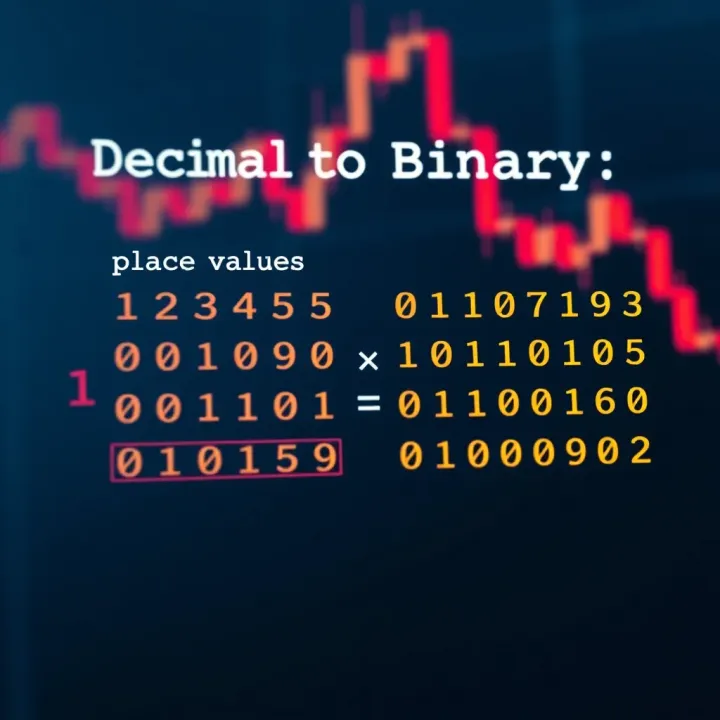
Reading the remainders from bottom to top gives 1101, which is the binary equivalent of 13.
This manual method builds intuitive understanding when using calculators or software for binary conversions. Analysts and students benefit especially from this knowledge, as it clarifies how binary data is structured behind simple inputs or signals.
Mastering the basics of binary representation empowers you to better use conversion tools, understand computing processes, and analyse data more effectively in your field.
Binary representation acts as the backbone of modern computing and electronics. Understanding its role helps demystify how digital devices process and store information efficiently. Since computer hardware inherently recognises only two states — typically represented as 0 and 1 — binary remains the natural choice for representing data.
Computers use binary mainly because it simplifies design and reduces errors. Electronic components like transistors have two clear states: ON (1) and OFF (0). This binary approach avoids ambiguities caused by noise or voltage fluctuations that might occur in multi-level systems. For instance, if an electronic circuit tried to distinguish among 10 different voltage levels, even a small disturbance could cause errors. Using only two levels improves reliability and makes the circuits cost-effective to build and maintain.
Besides hardware simplicity, binary arithmetic is straightforward to implement. Logical operations such as AND, OR, and NOT correspond neatly to binary digits, enabling fast computation. For example, when you add two binary numbers, the carry-over logic closely resembles that of decimal addition, but with only two possible digits, which reduces complexity.
Binary forms the foundation of data storage inside computers, smartphones, and other electronic devices. Whether it is a simple text document or a high-definition video, all information eventually converts to binary code. Each bit (binary digit) represents a basic unit of information — 0 or 1 — and combining bits creates bytes and larger data structures.
Take a hard drive or a solid-state drive (SSD) in your laptop. These devices store data magnetically or electronically by recording zeros and ones. When you save a document, the device translates the content into long streams of binary which the machine writes to its physical medium. The faster and more reliably a system can encode, store, and read these binary sequences, the better its overall performance.
Binary representations are at the core of how devices communicate across networks, including the internet. Every IP address, for example, is expressed as a sequence of bits. When you type a website URL, the underlying system converts it into an IP address written in binary to find the specific server hosting that site.
Communication protocols at various layers also rely on binary data packets to send messages between devices. Protocols like TCP/IP, which govern internet traffic, treat information as binary sequences to ensure compatibility and error checking. Think of it as speaking a common, simplified language between devices, allowing seamless data exchange.
Without binary representation, modern computing and electronics could not function efficiently. It's this simple dual-state logic that empowers everything from your smartphone to banking servers.
In essence, grasping binary's role enriches your understanding of the digital world. Whether you're a trader analysing algorithmic patterns or a student learning programming, knowing why binary underpins computing clarifies how data flows and transforms in electronic systems.
A binary representation calculator serves as a practical tool to convert numbers between decimal and binary formats swiftly and accurately. This conversion is not just a fundamental requirement for students learning computer science; traders and analysts also encounter binary data in fields like digital encryption or algorithmic trading scripts. Understanding how these calculators process inputs and deliver outputs helps users pick the right tool and apply it efficiently.
Decimal to binary conversion is the primary function of most binary calculators. It involves converting the base-10 number system used daily into the base-2 system computers understand. For example, converting ₹345 in decimal to binary reveals the sequence '101011001'. This is crucial when dealing with low-level code or firmware settings where binary input is required.
Binary to decimal conversion is equally essential. It translates binary data back into a human-friendly decimal form. For instance, decoding the binary ‘1101101’ returns the decimal number 109, which is more intuitive to interpret during troubleshooting or digital communication.
Handling negative numbers and fractions in binary adds complexity that some calculators address. Negative numbers typically use two’s complement representation, allowing the calculator to display or convert negative integers accurately. Fractions, on the other hand, involve fixed or floating-point binary formats. A calculator supporting these can convert values like -5.75 to binary and back, assisting engineers and developers working with precise calculations.
A user-friendly interface simplifies these conversions. It should be straightforward, allowing input in common formats and instantly showing results without clutter. Clear labels and real-time updates help beginners and professionals avoid errors, making it an indispensable learning or working aid.
Support for different number bases extends beyond just decimal and binary. Good calculators handle octal and hexadecimal conversions too, which are widely used in programming and network addressing. For example, an IP address conversion task requires switching between these bases to configure network devices properly.
Batch conversion and export options help manage large data sets efficiently. Traders or analysts might need to convert multiple figures arranged in spreadsheets or logs. The ability to upload bulk data, run automatic conversions, and export outputs in formats like CSV saves time and reduces manual error.
A calculator that combines ease of use with versatile features empowers users to handle binary conversions seamlessly, whether for study, software development, or financial analysis.
Binary calculators are valuable tools not just for theory but for real-world applications. They simplify the process of converting numbers between decimal and binary, saving time and reducing errors. This proves particularly useful for students, software developers, and network engineers who frequently deal with binary data.
Understanding number systems: Binary calculators help students and learners to grasp the concept of different number systems effectively. By entering decimal numbers and instantly seeing the binary equivalent, learners can visualise how place values work in binary compared to the decimal system. This hands-on approach makes abstract concepts more tangible, aiding understanding beyond textbook definitions.
Practice problems for students: Students preparing for exams or programming interviews often face questions on binary conversion and arithmetic. Using a binary calculator allows them to check their answers quickly after solving problems manually. It also enables them to practice more problems efficiently, enhancing their speed and accuracy. For example, while preparing for competitive exams like JEE or UPSC, regular use of such tools can sharpen numerical skills related to binary and digital logic.
Converting IP addresses: In networking, IP addresses often appear in binary to define subnet masks and routing tables. Binary calculators come handy by converting dotted decimal IP addresses into binary form and vice versa. For instance, when configuring subnet masks, a developer can quickly determine which bits correspond to the network and which to the host. This ensures accurate network setup and troubleshooting.
Debugging binary data formats: Software developers dealing with embedded systems or low-level programming frequently encounter raw binary data. Binary calculators help decode this data for analysis or debugging by converting it into readable decimal or hexadecimal forms. This is especially useful when troubleshooting issues in data communication protocols or file formats where binary integrity matters. For example, while working with data packets or performing bitwise operations, developers can verify calculations easily.
Using a binary representation calculator boosts productivity and reduces errors in tasks that require handling binary numbers, making it an essential tool in both learning and professional contexts.
In summary, binary calculators offer practical benefits that extend beyond basic conversions. Whether you are a student strengthening your skills or a developer managing complex data formats, these calculators can significantly ease your workflow.
Selecting the right binary representation calculator can make all the difference when you need quick, accurate conversions between decimal and binary numbers. For traders, investors, and analysts dealing with data sets or software developers debugging code, a reliable calculator saves time and prevents costly errors. Whether you are working on network addresses or programming logic, the tool’s efficiency and features play a key role.
Advantages and limitations: Online binary calculators offer instant access without any installation, which is handy when you’re working on the go or from different devices. Many such tools support quick decimal-to-binary conversions and vice versa, suitable for occasional or light use. However, online tools require a stable internet connection and may lack advanced features like batch processing or saving large projects.
Offline software, by contrast, usually offers more comprehensive functions, such as support for various number bases and detailed manipulation of binary data. These are favoured when converting large volumes regularly or when working with sensitive information. That said, installing and updating offline calculators can be cumbersome, especially if you juggle multiple platforms or devices.
Security and privacy considerations: When handling sensitive data, online tools pose a risk since data is often transmitted over the internet. For example, developers debugging proprietary code or investors analysing large datasets with confidential details should be cautious. Offline calculators keep all data on your device, improving privacy and reducing risk.
Still, not all offline software guarantees complete security. Users must verify the source of software downloads to avoid malware or spyware. Enterprises and serious professionals often prefer offline solutions for sensitive work, while casual users rely on reputable online services with strong privacy policies.
Accuracy and reliability: The main purpose of any binary representation calculator is accurate conversion. A wrong calculation can mislead analysis or corrupt data processing. Look for calculators tested for precise binary-decimal conversions and those that handle edge cases like negative numbers and fractional values well. Some calculators offer validation features to cross-check outputs, ensuring reliability.
User experience and accessibility: Smooth navigation and intuitive design are not just for convenience but improve productivity. Tools with cluttered interfaces or confusing options slow you down. For instance, a trader converting IP addresses may prefer a calculator with quick input fields and copy-paste support to avoid mistakes. Moreover, calculators that work on different devices or support keyboard shortcuts enhance accessibility, crucial for fast-paced work environments.
Additional functions and integrations: Beyond basic conversion, some calculators come with extra features like batch conversion (processing multiple numbers simultaneously) and export options to save results as CSV or text files. These features are ideal for analysts handling bulk data. Integration with third-party software, say Excel or programming IDEs, further streamlines workflows, minimizing manual data transfers.
Choosing the right binary representation calculator depends on balancing your specific needs — from basic accuracy and speed to security and advanced functions. Taking time to review these aspects saves you from headaches later and sharpens your work efficiency.
Learn how to multiply binary numbers easily with a binary multiplication calculator 🧮. Explore methods, tips, common algorithms, and practical uses for coding and digital tasks.

🧮 Learn how an online binary calculator helps perform binary maths and logic easily. Discover types, uses in computing and education, plus tips for choosing the right tool.

Learn how the letter 'a' is converted into binary code using ASCII encoding in computing systems. Understand digital text processing with clear, simple examples 📊💻
Learn how to convert octal numbers to binary with our easy calculator guide 📟. Master manual steps, avoid errors, and use it for digital systems effectively.
Based on 11 reviews