

Understanding Binary to Gray Code Conversion
Learn how to convert binary numbers to Gray code, where consecutive values differ by one bit. Understand the process with clear examples and practical insights ⚙️🔢.
Edited By
Isabella Hughes
Binary and Gray code are fundamental in digital electronics, especially where error minimisation in data transmission matters. Understanding how to convert binary numbers into Gray code using tables is handy for traders, analysts, and students dealing with digital signals or embedded systems.
Binary code represents numbers using bits where each bit corresponds to a power of two. Gray code, on the other hand, changes only one bit at a time between consecutive values. This single-bit change feature reduces errors during signal changes, making Gray code popular in rotary encoders and error detection in data communication.
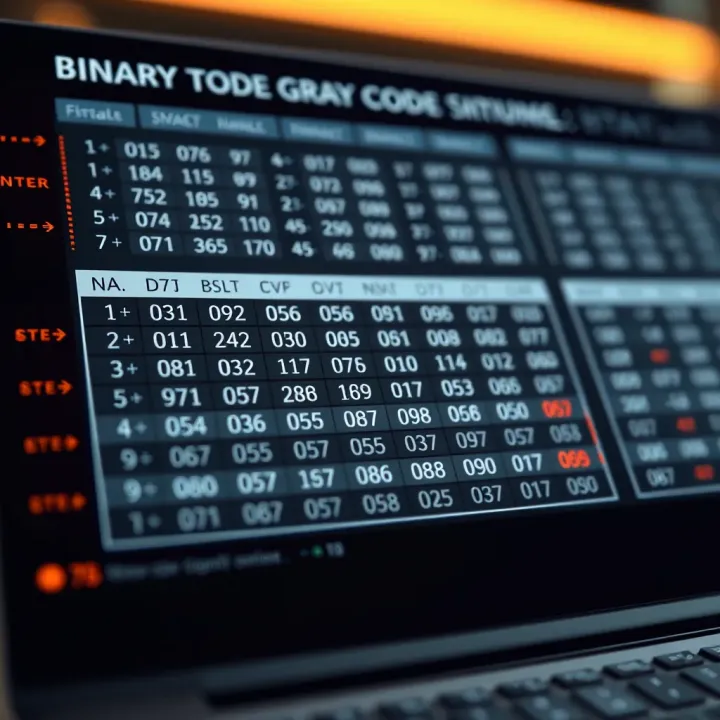
The key advantage of Gray code lies in its ability to minimise disruption caused by multiple bit changes, which can lead to misinterpretation in noisy communication channels.
Single-bit transition: Only one bit changes between adjacent numbers, unlike binary where multiple bits can change.
Non-weighted code: Unlike binary’s weighted bit positions, Gray code is positional but does not use bit weights.
Creating a table can simplify conversion:
Write down the binary numbers in ascending order.
For each binary number, write the first Gray code bit the same as the first binary bit.
Each following Gray code bit equals the XOR (exclusive OR) of the current binary bit and the previous binary bit.
For example, consider binary 1011:
The first Gray bit is 1 (same as binary’s first bit).
Second Gray bit: 0 XOR 1 = 1
Third Gray bit: 1 XOR 0 = 1
Fourth Gray bit: 1 XOR 1 = 0
Resulting Gray code: 1110.
Tables help visualise conversions quickly:
| Binary | Gray | | --- | --- | | 0000 | 0000 | | 0001 | 0001 | | 0010 | 0011 | | 0011 | 0010 | | 0100 | 0110 | | 0101 | 0111 |
Such tables are convenient during algorithm design and debugging in digital electronics or software development related to signal processing.
Understanding these conversion steps and tables will help you ensure error-resilient data handling, especially in trading algorithms or communication systems where data integrity is vital.
Understanding binary and Gray codes is foundational when working with digital systems, especially for traders, analysts, and students focusing on data accuracy and error reduction. Binary code forms the basic language of digital electronics, where every number is represented using just two symbols—0 and 1. This simplicity enables computers and digital devices to process vast amounts of information efficiently.
Binary code represents numerical values using only two digits: 0 and 1. Each digit is called a bit, and a combination of bits expresses numbers or instructions. For instance, the decimal number 5 is represented as 101 in a 3-bit binary format. This is crucial in digital electronics and computing as binary coding precisely controls hardware operations, storage, and data transmission. Since digital systems like computers and mobile devices operate electronically, binary code’s off/on state perfectly suits such environments.
Gray code is a binary numeral system where two successive values differ by just one bit. Unlike standard binary counting, where multiple bits may change at once (for example, from 3 to 4 in binary: 011 to 100), Gray code ensures only one bit flips at a time. This property is essential in reducing errors during signal changes. Gray code finds use in hardware encoders, error correction in digital communications, and safer mechanical system readings—like rotary encoders in industrial equipment—because this minimal transition reduces misreading risks.
The key difference between these codes is the number of bit changes between consecutive values. Binary code can change multiple bits simultaneously, leading to potential glitches or errors during transitions. Conversely, Gray code changes exactly one bit between consecutive numbers, which minimises transition error. For example, counting from 3 to 4 in binary (011 to 100) flips three bits, while in 3-bit Gray code, the corresponding step alters only one bit. This makes Gray code particularly valuable where reliable, noise-resistant data patterns are necessary.
Using Gray code where error minimisation is needed can improve system reliability, especially in communications and digital sensor applications.
Understanding both codes fully helps traders, engineers, and students grasp how digital data transforms and why specific coding schemes are chosen for precision and reliability. This knowledge is the stepping stone to exploring conversion techniques and practical applications covered later in this article.
Converting binary to Gray code serves specific and practical purposes, especially in digital systems where accuracy and efficiency matter. Understanding why this conversion is needed helps you appreciate its role in reducing errors and improving data handling.
Gray code is designed so that only one bit changes between two consecutive numbers. This property significantly lowers the chance of error during transitions compared to standard binary code, where multiple bits can change simultaneously. For example, in a 3-bit binary count from 3 (011) to 4 (100), three bits change at once, risking misinterpretation if the signal changes aren’t perfectly synchronized. But in Gray code, only a single bit change occurs, leading to fewer glitches and more reliable operation.
This feature is especially important in rotary encoders used in industrial machinery or robotics. Here, sensor outputs can fluctuate due to mechanical vibrations. Using Gray code ensures that only one transition bit flips at a time, so the system reads correct positions with minimal error. This reliability is crucial for precise motor control and measurement tasks.
In noisy environments, Gray code reduces the risk of counting errors caused by rapid, simultaneous bit shifts.
In communication systems, Gray code helps in reducing errors in digital signal transmission. It is often applied in modulation techniques like Quadrature Amplitude Modulation (QAM) used in wireless and wired networks. By encoding data in Gray code, the chance of symbol errors reduces because neighbouring symbols differ by only one bit. This makes error detection and correction easier, boosting signal integrity over unstable channels.
Data storage and digital circuits also benefit from Gray code conversion. When designing circuits for asynchronous communication or during data sampling in Analog-to-Digital Converters (ADCs), Gray code minimises errors caused by timing mismatches. Since only one bit flips during change, the risk of wrong data capture decreases, improving system accuracy.
Overall, converting binary to Gray code enhances performance in scenarios requiring precise data transitions. It safeguards against common errors and ensures smoother operation in both hardware and software implementations.
Binary to Gray code conversion plays an important role in reducing errors during digital communication and processing. Understanding the methods for this conversion helps traders, investors, and analysts who deal with hardware or systems that rely on quick, error-free digital signals. This section discusses both manual and algorithmic ways to convert binary numbers to Gray code, providing practical examples along the way.
The simplest way to convert a binary number to Gray code manually is through the bitwise XOR (exclusive OR) operation. In this method, the most significant bit (MSB) of the Gray code is the same as the MSB of the original binary number. For every other bit, you XOR the current binary bit with the preceding one. This operation effectively highlights only the bits that change between consecutive values, minimising errors during transitions.
For example, take the binary number 1101. Its Gray code first bit is 1 (same as the MSB). The next bits are calculated as follows:
Second bit: 1 XOR 1 = 0
Third bit: 0 XOR 1 = 1
Fourth bit: 1 XOR 0 = 1
Thus, the Gray code equivalent is 1011.
To grasp the manual conversion more clearly, follow a detailed example. Suppose the binary number is 1010. Keep the MSB as is (1). Then, move from left to right XORing each bit with its immediate left neighbour:
First bit (MSB): 1
Second bit: 1 XOR 0 = 1
Third bit: 0 XOR 1 = 1
Fourth bit: 1 XOR 0 = 1
The Gray code thus obtained is 1111. This stepwise approach is practical when handling small numbers or teaching the concept by hand.
When dealing with larger binary numbers, manual conversion becomes tedious and error-prone. Algorithmic approaches use the bitwise XOR principle programmatically. The core logic remains the same: the MSB stays unchanged, and each subsequent bit is the XOR of the current and previous bits. This logic ensures quick, automated translation with no manual errors.
Such programmatic methods are vital in digital systems where real-time conversion is needed. For instance, in communication hardware or embedded systems that utilise Gray code to prevent misreads during transitions.
In popular programming languages like Python or C++, implementing this conversion is straightforward. Python uses bitwise operators (^) to compute XOR:
python
def binary_to_gray(n): return n ^ (n >> 1)
binary_num = 13 gray_code = binary_to_gray(binary_num) print(bin(gray_code))# Output: 0b1011
Similarly, C++ code uses the same operator. These snippets help programmers automate conversions without building explicit tables, making them handy for large-scale digital applications.

> The key benefit of algorithmic conversion lies in speed and accuracy, especially for larger numbers where manual calculation is impractical.

By mastering both manual and algorithmic methods, analysts and developers can choose the right tool based on their needs — whether it's understanding fundamentals by hand or managing large data conversions efficiently.

## Constructing and Reading a Binary to Gray Code Table

A Binary to Gray Code table simplifies the conversion process by listing the equivalent Gray code for every binary number of a given bit length. Instead of calculating each time using formulas or logic gates, the table acts as a quick reference. For traders or analysts working with digital circuits or coding schemes in communication, using such tables reduces errors and saves time when interpreting or converting codes.

The table’s structure is straightforward but methodical, providing clarity even for those newer to digital coding. Each row corresponds to a binary number and its Gray code equivalent, making the relationship easy to see and verify.

### Structure of the Conversion Table

A typical conversion table consists of two columns: one for binary numbers and the other for their corresponding Gray codes. The binary numbers increment from 0 up to the maximum for the given bit length (for instance, 7 for 3-bit or 15 for 4-bit). Each binary number is written in standard form, left-padded with zeros to fit the bit count.

> The Gray code column shows values where adjacent rows differ by only a single bit, showcasing Gray code’s main feature. This makes spotting differences and errors simpler, which is why it’s so helpful in sensitive applications like rotary encoders or error-prone data transmissions.

### Examples with Tables for Different Bit Lengths

#### 3-Bit Binary to Gray Code Table:

A 3-bit table includes binary numbers from 000 to 111 and their Gray code equivalents from 000 to 100. It's practical for small-scale digital circuits or educational purposes, making the conversion process manageable without software help. For example, when handling simple LED displays or small address decoders, this table quickly guides the correct Gray code without calculations.

#### 4-Bit Binary to Gray Code Table:

The 4-bit table expands the range to 0000 through 1111, covering 16 possible values. This size suits medium complexity circuits and is common in digital communication for error correction. Traders or engineers often handle such tables for encoding sensor data or network signals, where quick lookup prevents delays and wrong data handling.

### How to Use the Table for Quick Conversion

Using the table is simple: locate the binary number in the first column, then read its Gray code equivalent directly from the next. This approach is faster than computing bitwise XOR operations repeatedly.

For fast-paced environments, keeping a printed or digital copy of this table handy allows instant conversion, which helps in debugging or designing circuits. It’s especially useful for students or beginners who are learning the concept and want instant confirmation of their manual conversions.

Lists can also aid quick navigation:

- Identify the binary input.
- Scan down the binary column to find the number.
- Read across to note the Gray code.

This method not only speeds up work but reduces mistakes that come from rushed hand calculations, ensuring more reliable systems.

In summary, constructing and reading a Binary to Gray Code table empowers users with speed, accuracy, and clearer insight into digital coding, which proves invaluable in many practical scenarios.

## Converting Gray Code Back to Binary

Understanding how to convert Gray code back to binary is essential, especially when the original binary data must be recovered accurately in digital systems. Since Gray code is primarily used to reduce errors during signal transitions, transforming it back to binary ensures that the data becomes usable and meaningful for further processing or analysis.

### Inverse Conversion Principles

The key principle behind converting Gray code to binary is that the first binary bit remains the same as the first Gray code bit. Subsequent binary bits are calculated by taking the exclusive OR (XOR) of the previous binary bit and the current Gray code bit. This iterative process follows the logic that each binary bit depends not only on the current Gray bit but also on the cumulative effect of previous bits.

This method stems from the way Gray code is generated from binary—it changes only one bit at a time for adjacent numbers, making error detection simpler during transitions. However, to restore the data to its binary origin, we need to reverse this gradual change mechanism systematically.

> The first binary bit is simply the same as the first Gray code bit; then each next binary bit equals the XOR of the previous binary bit and the current Gray bit.

### Stepwise Procedure and Examples

Here’s a clear step-by-step guide to convert Gray code to binary:

1. Write down the Gray code bits.
2. Keep the first binary bit the same as the first Gray bit.
3. For each following bit, perform an XOR between the previous binary bit and the current Gray bit.
4. Continue this until all bits are converted.

For example, consider the Gray code `1101`:

- Start with the first binary bit: **1** (same as Gray's first bit).
- Second bit: XOR of previous binary bit (1) and second Gray bit (1) → 1 XOR 1 = **0**.
- Third bit: XOR of previous binary bit (0) and third Gray bit (0) → 0 XOR 0 = **0**.
- Fourth bit: XOR of previous binary bit (0) and fourth Gray bit (1) → 0 XOR 1 = **1**.

So, the binary equivalent is `1001`.

This practical approach helps traders, analysts, and engineers working with digital communication systems or error-minimising hardware to swiftly translate Gray-coded data back to its binary form for accurate evaluation and decision-making. With practice, these conversions become quick and reliable, supporting effective system design and troubleshooting.

## Practical Use Cases of Binary to Gray Code Conversion

Binary to Gray code conversion finds its strength in systems where minimising errors during transitions is critical. Gray code changes only one bit at a time between successive values, which greatly reduces the chance of error when data is read or transmitted. This unique feature makes it valuable in practical scenarios like rotary encoders and digital communications, where signal integrity is key.

### Error Minimisation in Rotary Encoders

Rotary encoders convert angular positions into digital signals, commonly used in robotics, industrial machines, and automated control systems. Conventional binary counters can cause glitches during position changes because multiple bits could switch at once, leading to false readings. Gray code avoids this by ensuring only one bit flips at a time, thereby reducing misinterpretation of the shaft position.

For example, in a rotary encoder controlling a robotic arm, using Gray code means the control system receives more reliable position data. This cutback in error translates to smoother movements and accurate feedback, which is especially vital in high-precision tasks like assembly or medical devices. Without Gray code, the arm’s position might be misread, leading to costly errors or delays.

### Applications in Digital Circuit Design and Communications

In digital circuits, especially counters and state machines, Gray code assists in preventing timing issues caused by simultaneous bit changes. When registers or memory addresses update, switching multiple bits can cause hazards or glitches. Implementing Gray code reduces these risks, making circuits more stable.

In communication systems, Gray-coded signals improve error detection and correction because transitions induce fewer bit errors. Consider data transmission over noisy channels - the fewer bit changes per transition, the lower the chance of a sequence being misread. This benefit extends to digital modulation schemes, where Gray code maps symbols to bit patterns, minimising bit error rate.

> Using Gray code is like changing one letter in a word at a time instead of scrambling the whole word, making it easier to recognise and correct mistakes.

To sum up, binary to Gray code conversion plays a vital role in maintaining data accuracy where bit transitions are frequent. Whether in the mechanical precision of rotary encoders or the stability of digital circuits and communication links, Gray code keeps errors down and signals clean, which benefits engineers, traders monitoring hardware performance, and analysts relying on data integrity.Learn how to convert binary numbers to Gray code, where consecutive values differ by one bit. Understand the process with clear examples and practical insights ⚙️🔢.

Learn to convert between binary and decimal systems easily 🔢. Step-by-step methods, practical examples & uses in computing help you master these essential tech skills.
🔢 Learn octal to binary conversion with easy steps, detailed tables, and real examples. Master number systems for better coding and digital understanding! 💻

Learn binary equivalent clearly! Understand conversion from decimal, explore everyday tech use, and troubleshoot common issues easily in Indian context. 💻🔢
Based on 5 reviews